Product Update: Improved Microsurvey Editor Experience
You now have access to more data collection methods, and improved data management. Thanks for your feedback!

New and Improved
Better experience for modifying microsurvey pages and field types.
Email notifications of when a user has completed a microsurvey.
Microsurvey UX Improvement
Our Improvements are:
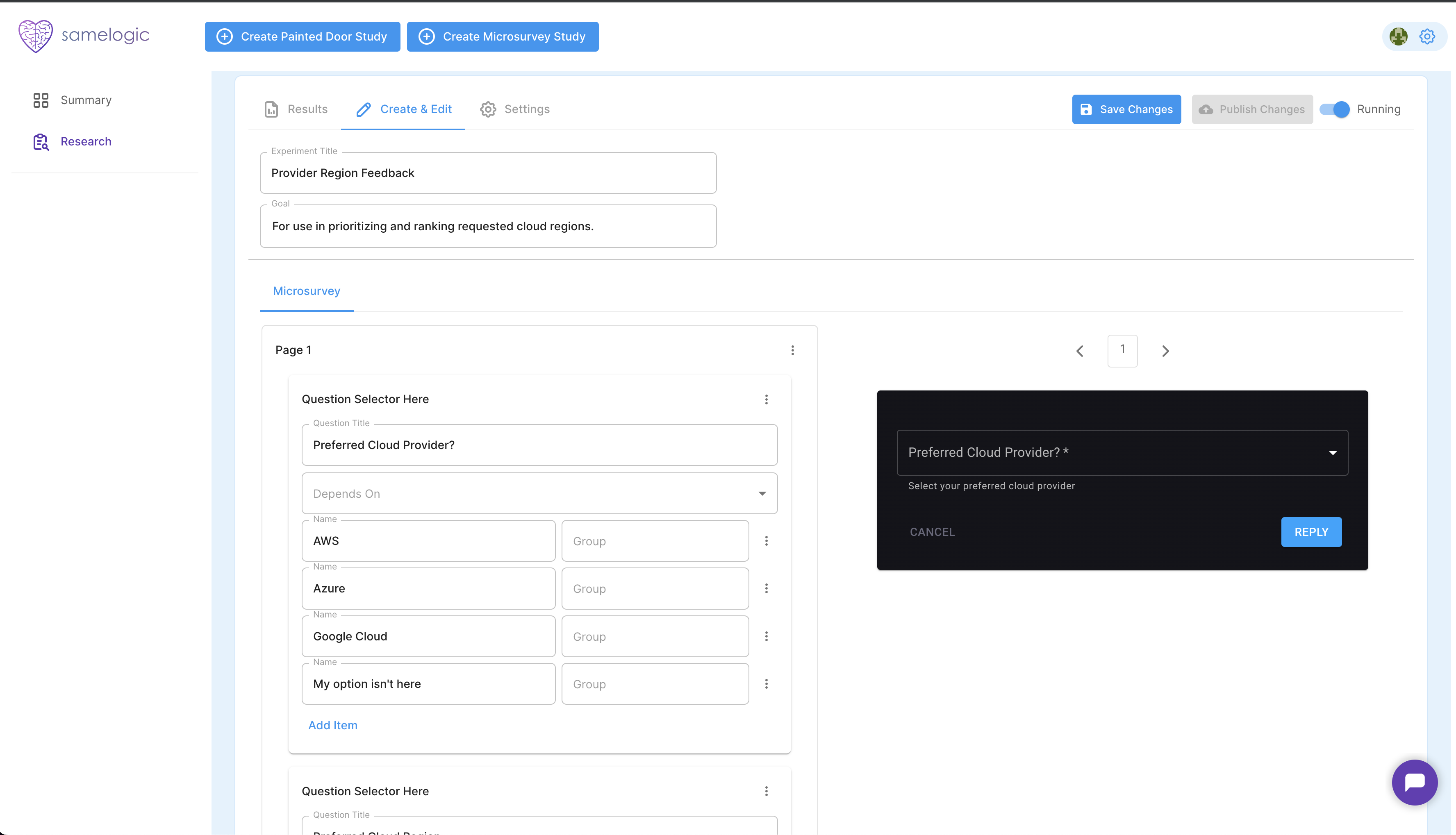
Working Previewer on the right.
UI for adding pages and fields.
Field types for
drop down,long textanddrill down.
A drill down field type is where the content of one field depends on what the user selects in a previous field. It is used to fine-tune a users response. We modeled ours from Qualtrics Drilldown.
Before and After
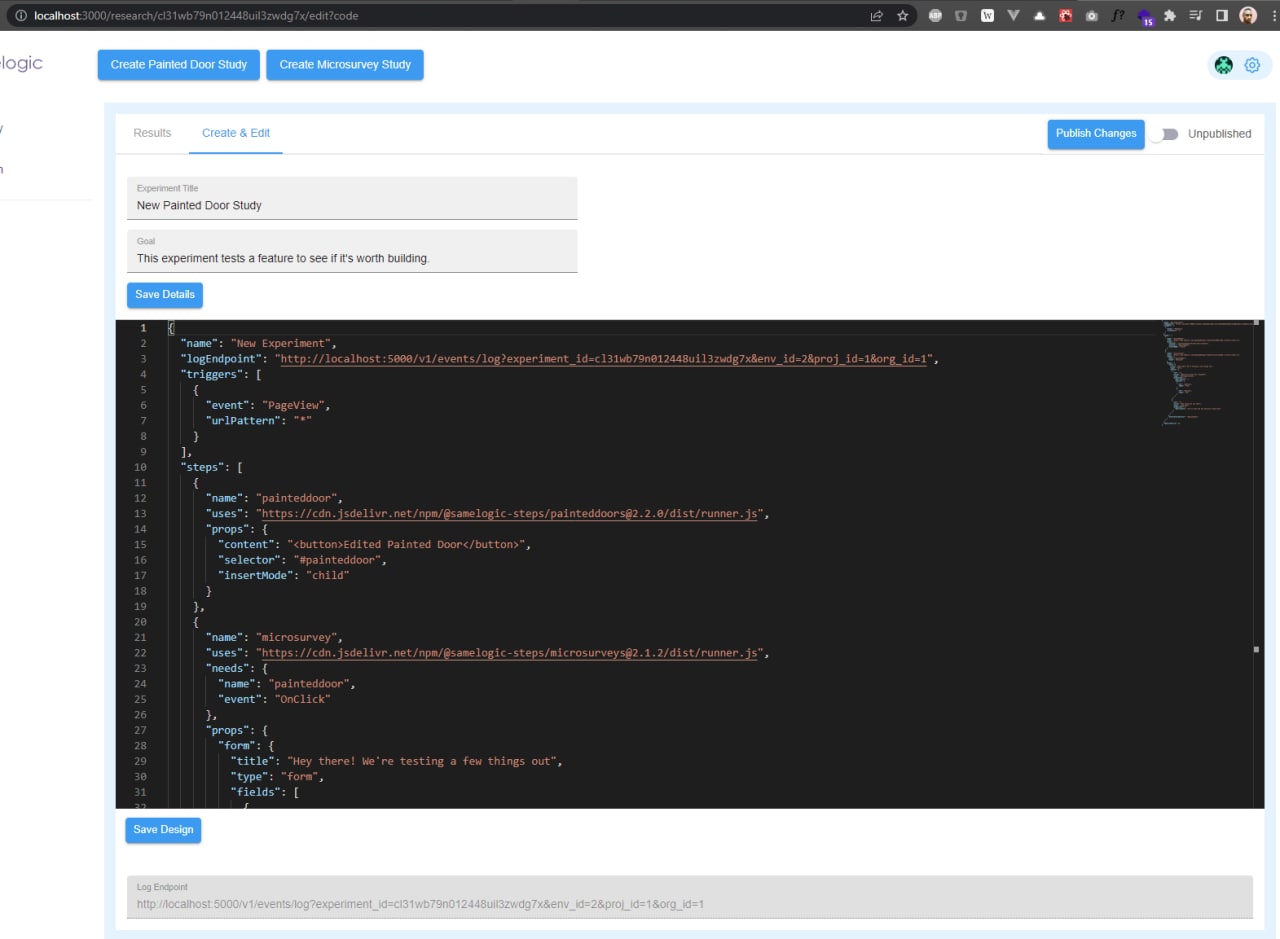
When we started, our microsurvey was configurable by raw JSON:
What it looks like now:
New Email Notifications
We want to keep our users as hands off the product as possible and notifications and reports being sent to the tool of choice is important.
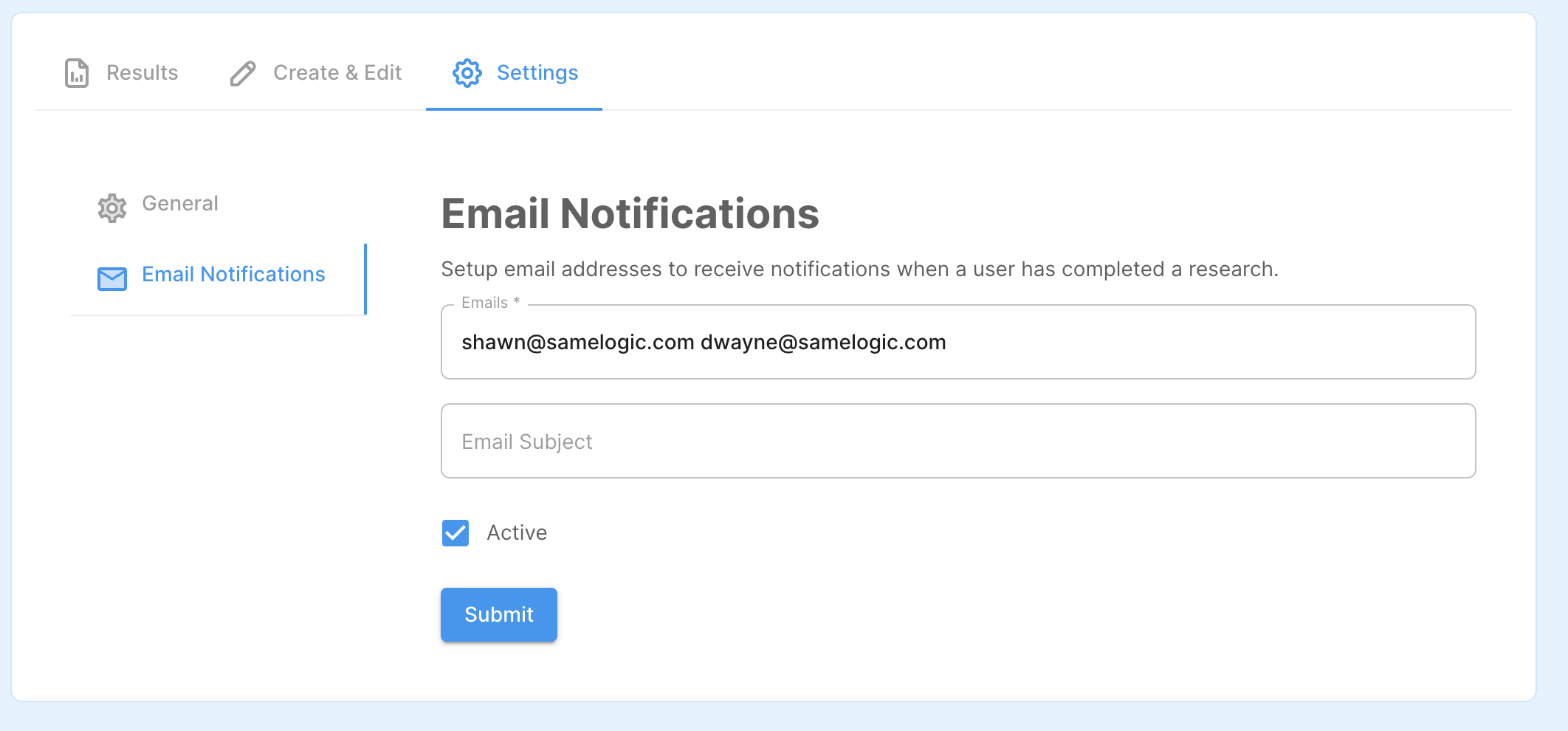
Our first iteration of this is to send emails of the survey responded event.
You can setup your notifications under the research settings:
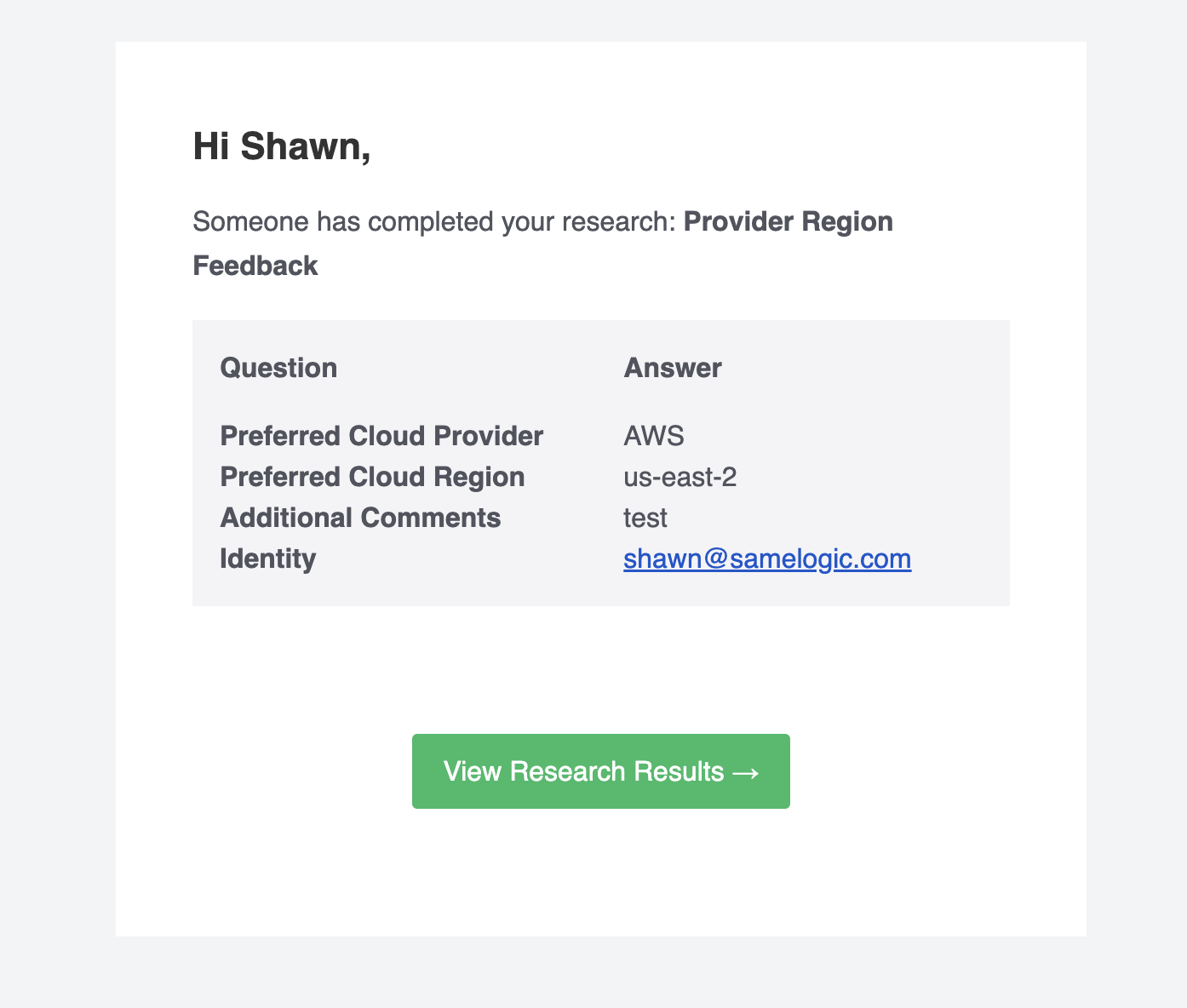
An email will contain all the fields and identity properties that you have setup:
Demo Video
Or view on Loom: https://www.loom.com/share/a1ec5597b5cd4486bf43cd7d218a677a
Related workflows
Move from editorial context into the selector, Playwright, and bug-reproduction pages that turn exact UI evidence into action.
 Install the Chrome Extension