Product Update: Custom Microsurvey Styles
You now customize the look and feel of the Microsurvey. Thanks for your feedback!
New and Improved
🎨 Microsurvey colors can be changed.
🕹 Microsurvey can be modal or anchored and positioned around an element.
Custom Microsurvey Colors
We now have an easy way to modify the look and field of the Microsurvey.
We have introduced a new tab that contains the ability to change the theme from light to dark mode or fully customize the colors.
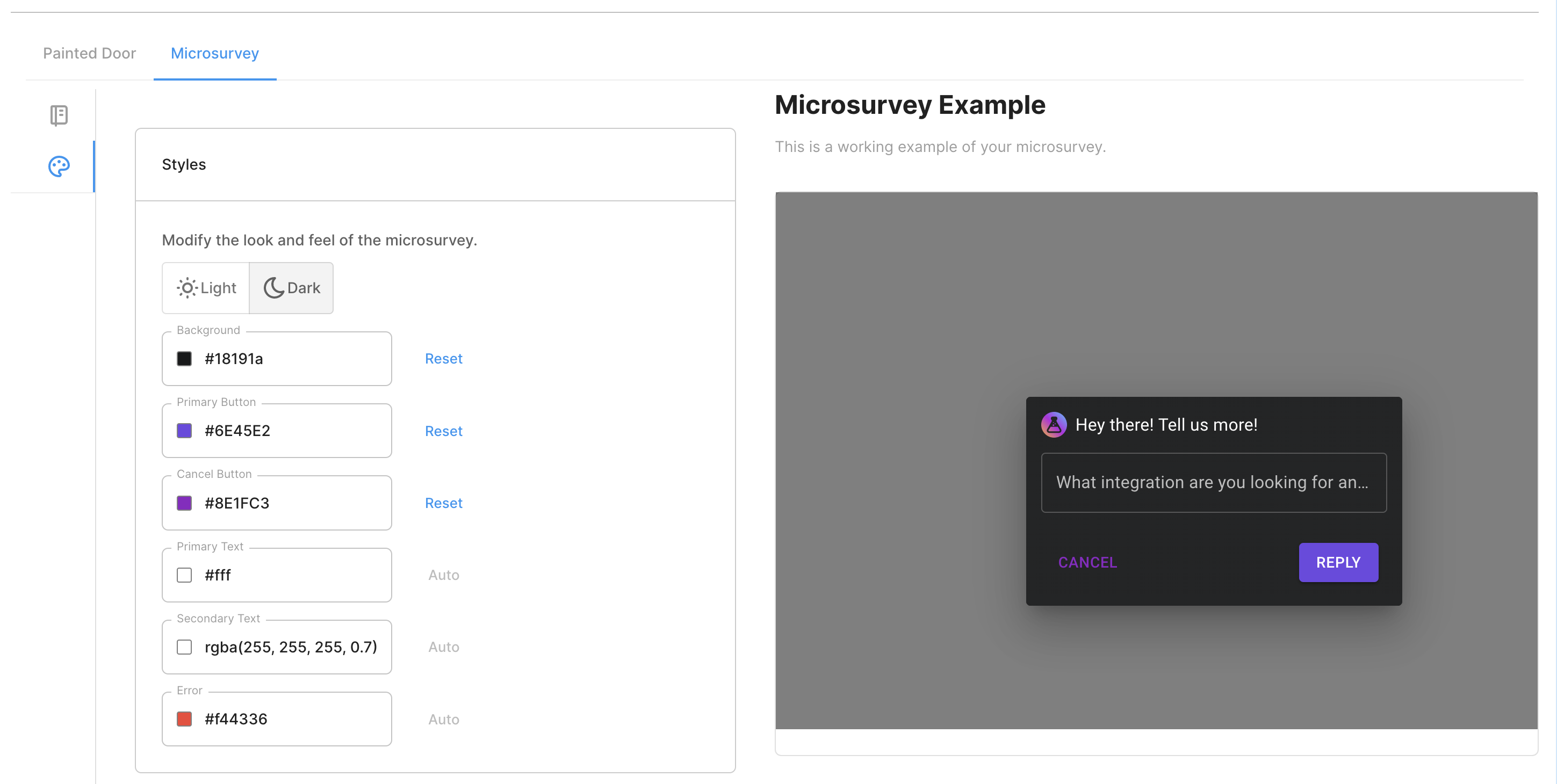
Since our Microsurveys are built on Material UI (MUI), we are utilizing MUI themes. This allows MUI users to have the Microsurvey match your product's look and feel exactly.
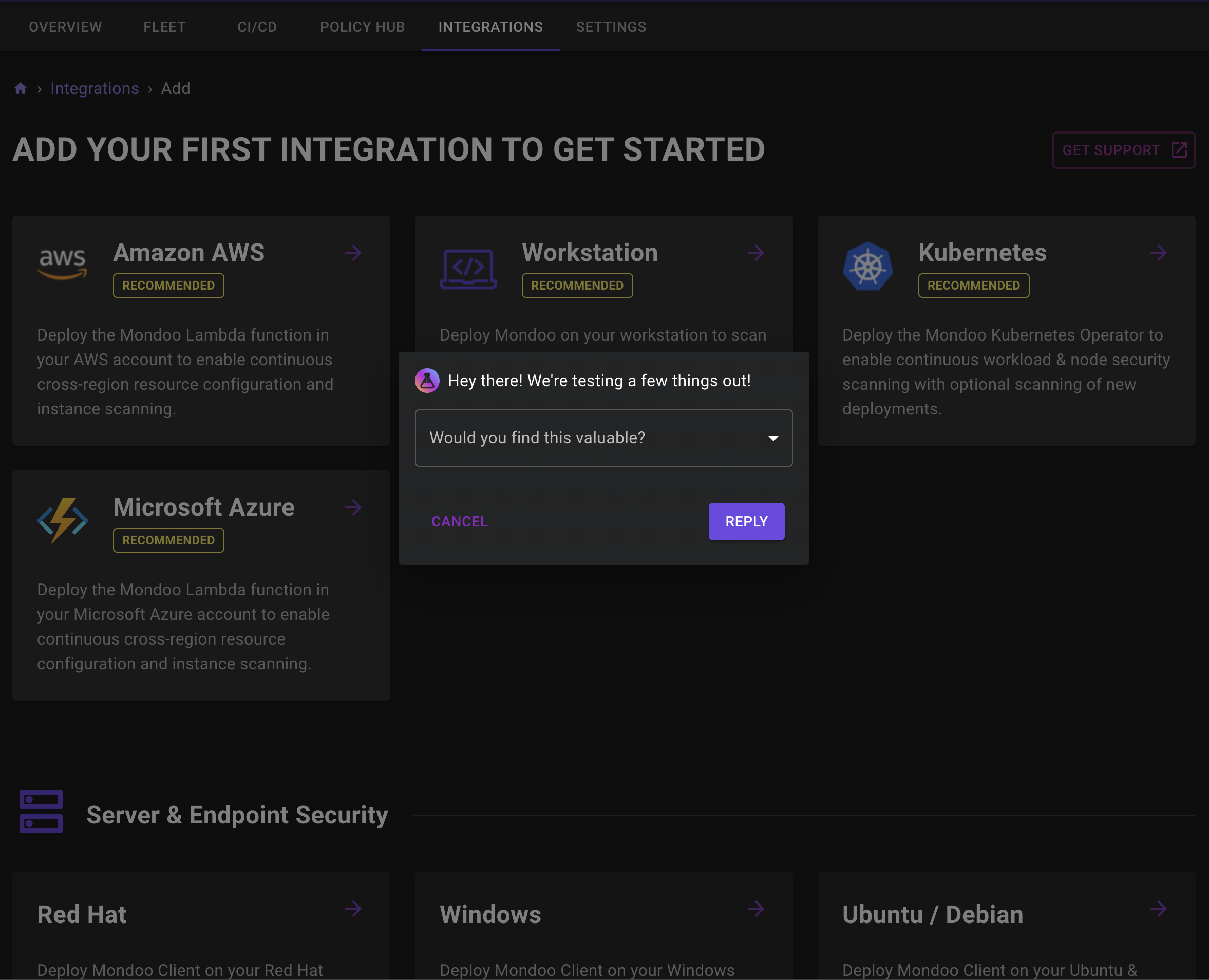
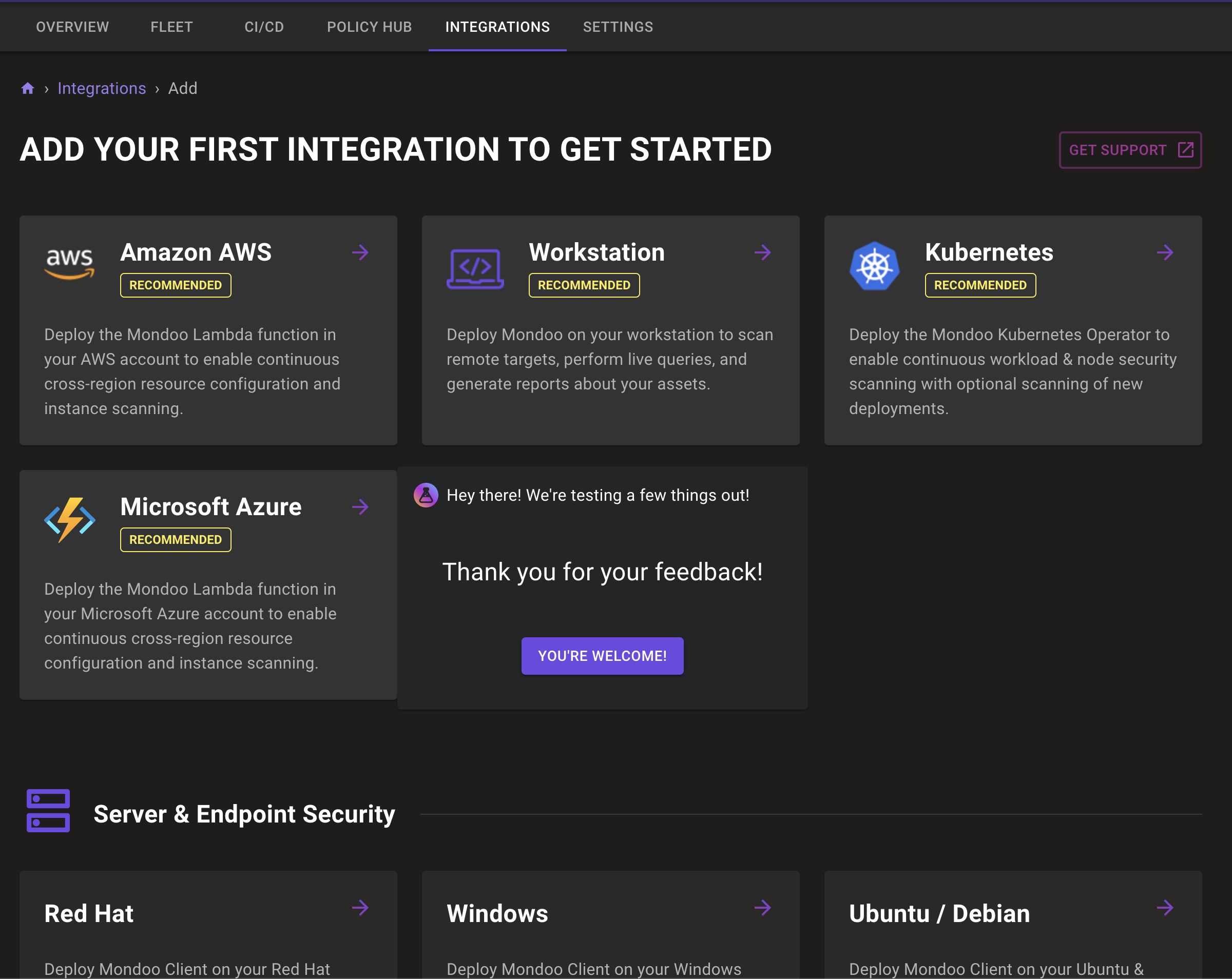
An example of this running on Mondoo can be seen below. Their fake door is the azure integration:
In the future, we will allow full-on copy and pasting of your MUI theme object into this editor.
Custom Microsurvey Placements
Microsurveys can be displayed to the user in 2 ways:
Dialog, This will pop up a modal dialog in the center of the screen with a backdrop.
Anchor, This method will anchor the Microsurvey beside an element. You can position this all around the element.
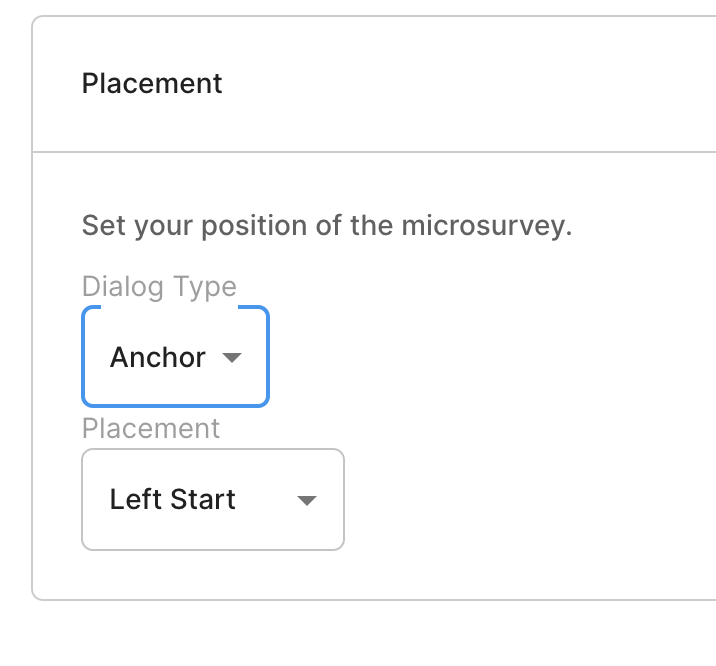
Again using Mondoo as an example, we are positioning the survey to the right of the fake door mockup.
Open Sourcing Microsurveys
When we started, we needed a survey component or product that we can fire off when someone interacts with a mockup. But none of the survey tools on the market had good integration APIs that we could use.
So we had to build our own.
But Microsurveys are not at the core of what we want to do. We just needed an easy way for PMs to ask their users some questions.
In the future, you should be able to connect your fake doors to intercom, sprig, chameleon and another survey/communication tool of your choice.
This is why we are open sourcing all our React Microsurvey Components.
This includes the following:
The Client, this will be what pops up for your user, we just make it easier to configure the questions.
The Editor, an easy way to configure the questions.
The Playground, is an easy way to show the editor and client on the same page.
The Server, in the future we will open source a basic service for storing survey configurations and responses.
Do it yourself if you are a developer with a React App.
We will be writing a longer post about why we're open sourcing this. But for now, you can take a look at the code that will be running within your product here.
Related workflows
Move from editorial context into the selector, Playwright, and bug-reproduction pages that turn exact UI evidence into action.
 Install the Chrome Extension